Unusual Apple II
Apple II Europlus
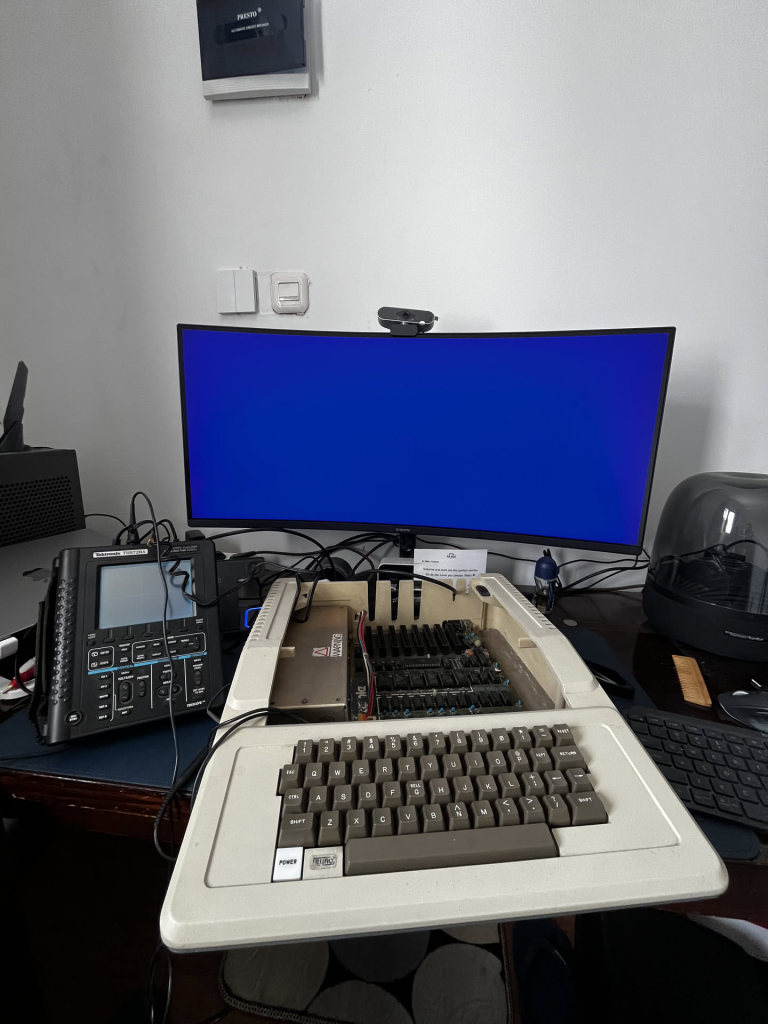
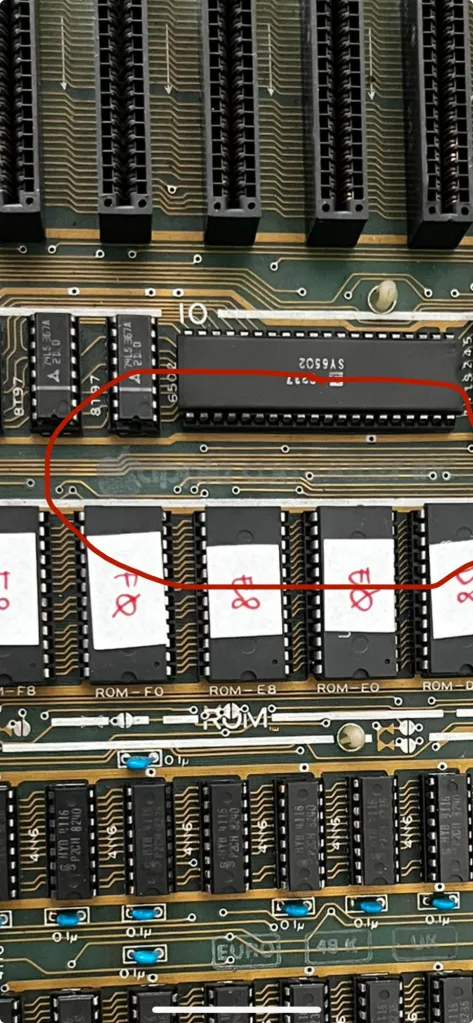
So I just picked up an Apple II Europlus off Instagram. The seller said it was brand new and never used, and honestly, the case is still in great shape. The motherboard’s way cleaner than my other Apple II, and it actually runs fine—the ROM’s working perfectly too. The only problem is the keyboard encoder, which I’ve heard is a pretty common issue on these Europlus machines.
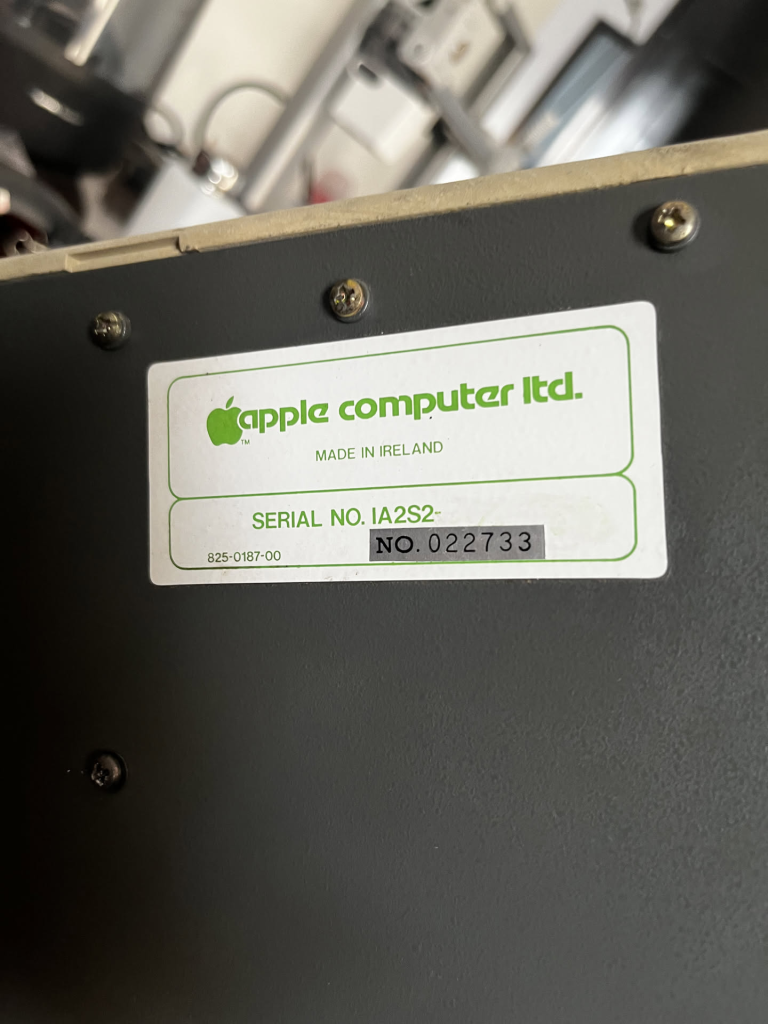
The sticker itself said that it was Made In Ireland. But the motherboard and the PSU seems fishy. The Apple label on the motherboard barely visible, different compared to my previous collection that the label still sharp. I don’t know if it because of storage issues.
Power Supply
The power supply also rather suspicious, different with my other Apple II PSU. It was made in Hong Kong but it was “erased”. The component inside the power supply itself feels cheap. Totally different with the Apple II power supply that you can find on the internet.
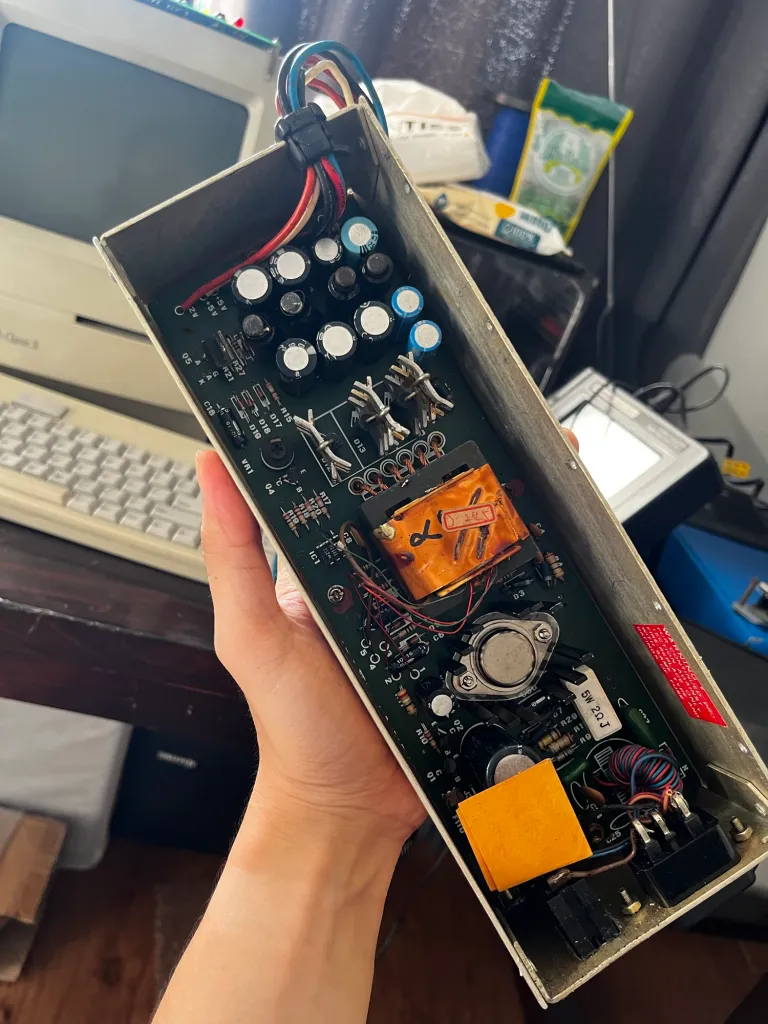
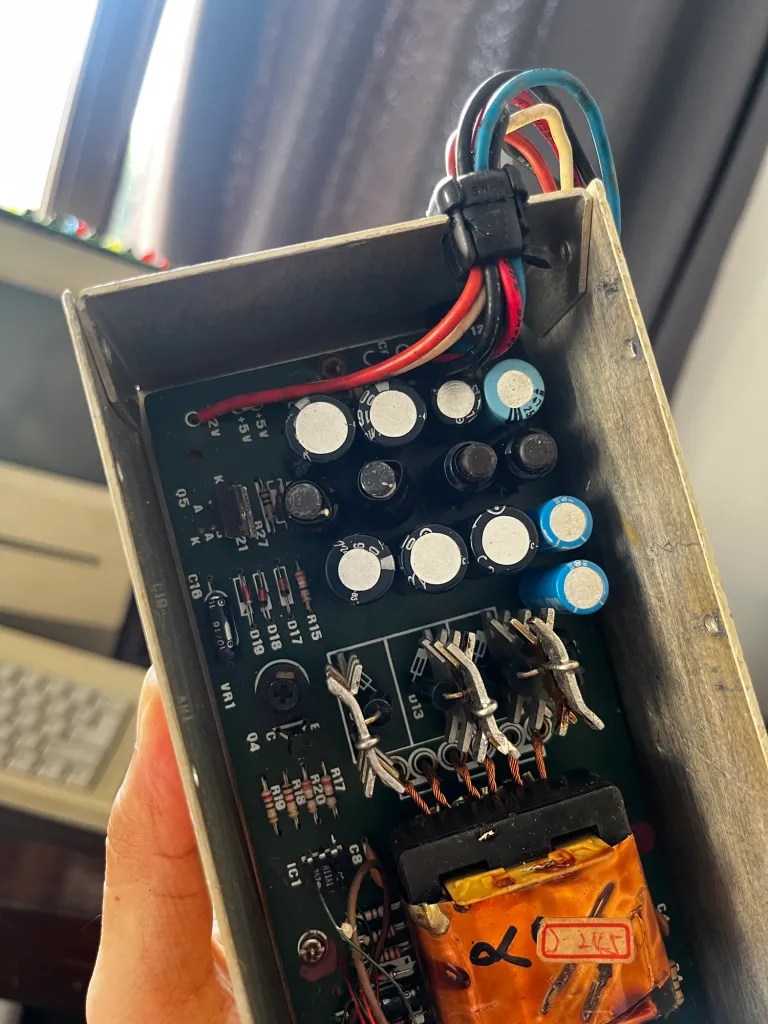
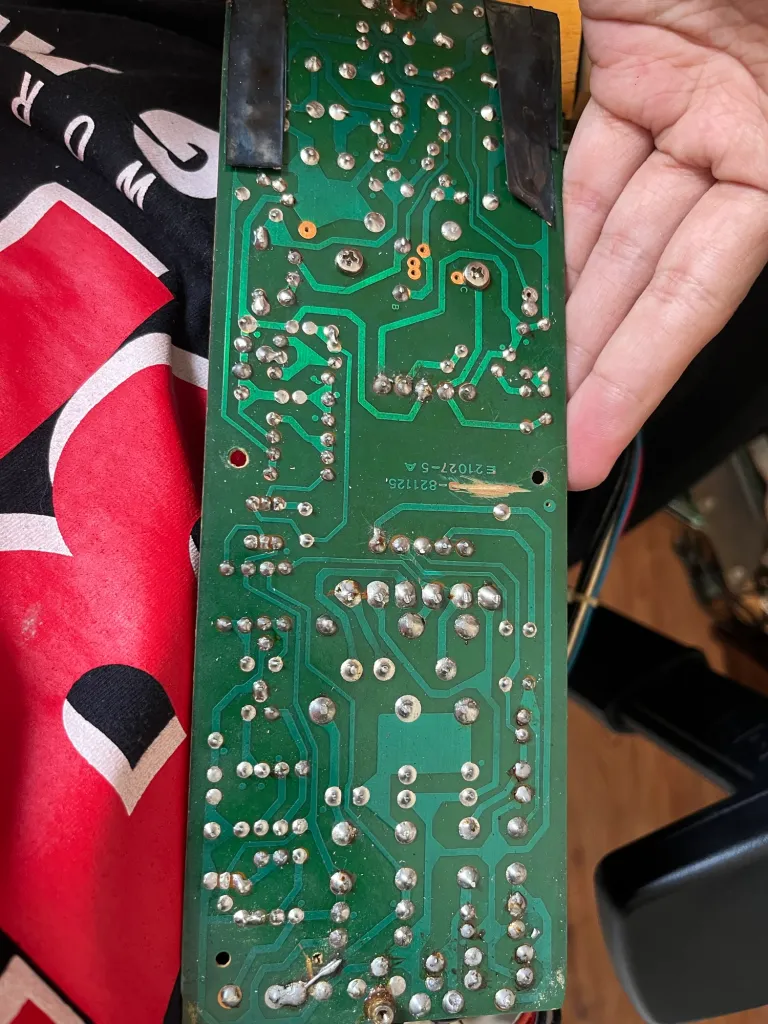
I don’t know the reason but I guess this one of Apple action to reduce the production price of this computer.
The Issue & Solution
This is the most common issue with the Europlus series which use the RF keyboard version. The issue is with the keyboard encoder and also with the key itself.
When you find this kind of keyboard, please do not disassemble, or you will find a hard-time to assembled it again.
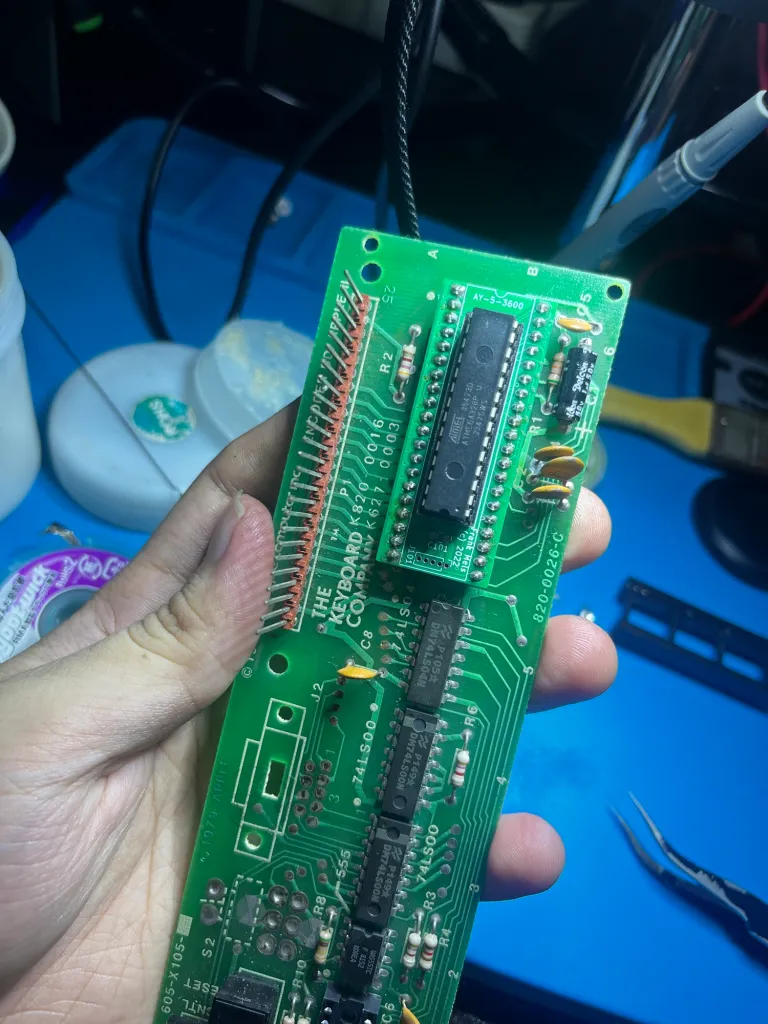
The keyboard encoder also the most fail component in this series, also it is hard to find the replacement. It’s better to build a replacement for the encoder instead. You can find many Apple II keyboard encoder replacement sold on ebay or retro-shops. But I prefer to build it myself using microcontroller.
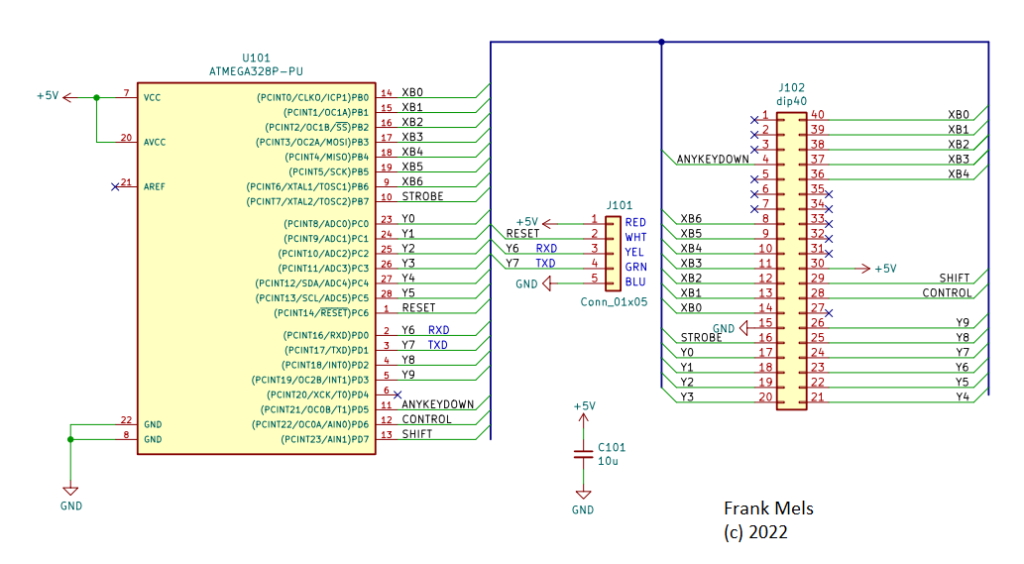
I found this open-source project to replace the Apple II keyboard encoder from Mel’s Vintage website. It use the ATMega328 which popularly used for Arduino Uno, so it easy to find the chip. The full schematic and code you can find on his website, but I will post the code that I used here (for my backup).
1
2
3
4
5
6
7
8
9
10
11
12
13
14
15
16
17
18
19
20
21
22
23
24
25
26
27
28
29
30
31
32
33
34
35
36
37
38
39
40
41
42
43
44
45
46
47
48
49
50
51
52
53
54
55
56
57
58
59
60
61
62
63
64
65
66
67
68
69
70
71
72
73
74
75
76
77
78
79
80
81
82
83
84
85
86
87
88
89
90
91
92
93
94
95
96
97
98
99
100
101
102
103
104
105
106
107
108
109
110
111
112
113
114
115
116
117
118
119
120
121
122
123
124
125
126
127
128
129
130
131
132
133
134
135
136
137
138
139
140
141
142
143
144
145
146
147
148
149
150
151
152
153
154
155
156
157
158
159
160
161
162
163
164
165
166
167
168
169
170
171
172
173
174
175
176
177
178
179
180
181
182
183
184
185
186
187
188
189
190
191
192
193
194
195
196
197
198
199
200
201
202
203
204
205
206
207
208
209
210
211
212
213
214
215
216
217
218
219
220
221
/*
  Apple II Datanetics Keyboard controller AY-5-3600 replacement
  By frank mels
  (c) 2021

  V1.1 update with improved key roll over by means of faster key scanning
  DEBOUNCE change from 8 to 1ms
  DATAHOLD change from 10 to 5ms

  Stand Alone ATmega328PU running from internal 8MHz oscillator

  J1 = DIP40 connection to Apple II keyboard PCB U5
  Keyboard column/line driver pins:
  J1  pin output Sig     pin input  Sig
      14  PB0    XB0     25  PC2    Y2
      15  PB1    XB1     26  PC3    Y3
      16  PB2    XB2     27  PC4    Y4
      17  PB3    XB3     28  PC5    Y5
      18  PB4    XB4      2  PD0    Y6
      19  PB5    XB5      3  PD1    Y7
       9  PB6    XB6      4  PD2    Y8
      10  PB7    Strobe   5  PD3    Y9
      23  PC0    Y0       6  PD4    NC
      24  PC1    Y1      11  PD5    ANYKEYDOWN
                         12  PD6    CTRL
                         13  PD7    Shift


  PORTD maps to Arduino digital input pins pins Y6 to Y9 + CTRL + Shift + ANYKEYDOWN
  DDRD - The Port D Data Direction Register - read/write
  PORTD - The Port D Data Register - read/write
  PIND - The Port D Input Pins Register - read only

  PORTB maps to Arduino digital output pins XB1 to XB6 + strobe
  DDRB - The Port B Data Direction Register - read/write
  PORTB - The Port B Data Register - read/write
  PINB - The Port B Input Pins Register - read only

  PORTC maps to digital output pins digital input pins Y0 to Y5
  DDRC - The Port C Data Direction Register - read/write
  PORTC - The Port C Data Register - read/write
  PINC - The Port C Input Pins Register - read only

*/

#define DEBOUNCE  1      // debounce timing in ms
#define DATAREADY 10     // data ready timing in us
#define DATAHOLD  5      // data ready timing in ms
#define STROBE    50     // strobe timing in us
#define NCOLUMNS  9      // number of columns in scan

// functions
void vSendKey(unsigned char ucKey);
void vResetColumns(void);
void vWaitKey(unsigned char ucWaitType);

// Constants
//    7bit Ascii + bit 7 = 1         PC0   PC1   PC2   PC3   PC4   PC5   PD0   PD1   PD2   PD3
//    Ascii = Y + X *10 + Z * 50     Y0    Y1    Y2    Y3    Y4    Y5    Y6    Y7    Y8    Y9    X: Column, Y: Row, Z: 0= no shift; 1= shift; 2= CTRL; 3= Shift + CTRL
// constants                          PB2   PB3   PB4   PB5   PC0   PC1   PC2   PC3   PC4   PC5
const unsigned char cucAscii[200] = {0xad, 0xba, 0xb0, 0xb9, 0xb8, 0xb7, 0xb6, 0xb5, 0xb4, 0xb3, //PC0  '-'   , ':' , '0', '9', '8', '7', '6', '5', '4', '3'
                                     0xd0, 0xcf, 0xc9, 0xd5, 0xd9, 0xd4, 0xd2, 0xc5, 0xd7, 0xd1, //PC1  'P'   , 'O' , 'I', 'U', 'Y', 'T', 'R', 'E', 'W', 'Q'
                                     0x95, 0x88, 0xbb, 0xcc, 0xcb, 0xca, 0xc8, 0xc7, 0xc6, 0xc4, //PC2  right , left, ';', 'L', 'K', 'J', 'H', 'G', 'F', 'D'
                                     0xaf, 0xae, 0xac, 0xcd, 0xce, 0xc2, 0xd6, 0xc3, 0xd8, 0xda, //PC3  '/'   , '.' , ',', 'M', 'N', 'B', 'V', 'C', 'X', 'Z'
                                     0x8d, 0x00, 0x00, 0x00, 0xa0, 0xc1, 0x9b, 0xb1, 0xb2, 0xd3, //PC3  return,  '' ,  '',  '', ' ', 'A', esc, '1', '2', 'S'
                                   //--------------------- Ctrl -------------------------------
                                     0xad, 0xba, 0xb0, 0xb9, 0xb8, 0xb7, 0xb6, 0xb5, 0xb4, 0xb3, //PC0  '-'   , ':' , '0', '9', '8', '7', '6', '5', '4', '3'
                                     0x90, 0x8f, 0x89, 0x95, 0x99, 0x94, 0x92, 0x85, 0x97, 0x91, //PC1  'P'   , 'O' , 'I', 'U', 'Y', 'T', 'R', 'E', 'W', 'Q'
                                     0x95, 0x88, 0xbb, 0x8c, 0x8b, 0x8a, 0x88, 0x87, 0x86, 0x84, //PC2  right , left, ';', 'L', 'K', 'J', 'H', 'G', 'F', 'D'
                                     0xaf, 0xae, 0xac, 0xcd, 0x8e, 0x82, 0x96, 0x83, 0x98, 0x9a, //PC3  '/'   , '.' , ',', 'M', 'N', 'B', 'V', 'C', 'X', 'Z'
                                     0x8d, 0x00, 0x00, 0x00, 0xa0, 0x81, 0x9b, 0xb1, 0xb2, 0x93, //PC4  return,  '' ,  '',  '', ' ', 'A', esc, '!', '"', 'S'
                                   //--------------------- Shift ------------------------------
                                     0xbd, 0xaa, 0xb0, 0xa9, 0xa8, 0xa7, 0xa6, 0xa5, 0xa4, 0xa3, //PC0  '='   , '*' , '0', ')', '(', ''', '&', '%', '$', '#'
                                     0xc0, 0xcf, 0xc9, 0xd5, 0xd9, 0xd4, 0xd2, 0xc5, 0xd7, 0xd1, //PC1  '@'   , 'O' , 'I', 'U', 'Y', 'T', 'R', 'E', 'W', 'Q'
                                     0x95, 0x88, 0xab, 0xcc, 0xcb, 0xca, 0xc8, 0xc7, 0xc6, 0xc4, //PC2  right , left, '+', 'L', 'K', 'J', 'H', 'G', 'F', 'D'
                                     0xbf, 0xbe, 0xbc, 0xdd, 0xde, 0xc2, 0xd6, 0xc3, 0xd8, 0xda, //PC3  '?'   , '>' , '<', ']', '^', 'B', 'V', 'C', 'X', 'Z'
                                     0x8d, 0x00, 0x00, 0x00, 0xa0, 0xc1, 0x9b, 0xa1, 0xa2, 0xd3, //PC4  return,  '' ,  '',  '', ' ', 'A', esc, '!', '"', 'S'
                                   //--------------------- Ctrl + shift -----------------------
                                     0xad, 0xba, 0xb0, 0xb9, 0xb8, 0xb7, 0xb6, 0xb5, 0xb4, 0xb3, //PC0  '-'   , ':' , '0', '9', '8', '7', '6', '5', '4', '3'
                                     0x80, 0x8f, 0x89, 0x95, 0x99, 0x94, 0x92, 0x85, 0x97, 0x91, //PC1  'P'   , 'O' , 'I', 'U', 'Y', 'T', 'R', 'E', 'W', 'Q'
                                     0x95, 0x88, 0xbb, 0x8c, 0x8b, 0x8a, 0x88, 0x87, 0x86, 0x84, //PC2  right , left, ';', 'L', 'K', 'J', 'H', 'G', 'F', 'D'
                                     0xaf, 0xae, 0xac, 0x9d, 0x9e, 0x82, 0x96, 0x83, 0x98, 0x9a, //PC3  '/'   , '.' , ',', 'M', 'N', 'B', 'V', 'C', 'X', 'Z'
                                     0x8d, 0x00, 0x00, 0x00, 0xa0, 0x81, 0x9b, 0xb1, 0xb2, 0x93};//PC4  return,  '' ,  '',  '', ' ', 'A', esc, '!', '"', 'S'

const unsigned char cucNRows = 10;
const unsigned char cucNCulomns = 5;
const unsigned char cucNStates = 4;

// Variables
unsigned char ucRow = 0;
unsigned char ucColumn = 0;
unsigned char ucState = 0;
unsigned char ucKey = 0;
unsigned char ucRep = 0;
unsigned char ucPinC = 0;
unsigned char ucDdrC = 0;
unsigned char ucPinD = 0;
unsigned char ucDdrD = 0;
long lRepStart = 500;
long lRepTime = 100;

unsigned char ucPORTB[9] =    {B01111110, B01111101, B01111011, B01110111, B01101111, B01011111, B00111111, B01111111, B01111111};
unsigned char ucPORTBDIR[9] = {B10000001, B10000010, B10000100, B10001000, B10010000, B10100000, B11000000, B10000000, B10000000};

// init
void setup() {
  // Serial.begin(9600);

  DDRB = DDRB | B11111111;                // all pins to output
  DDRC = DDRC & B11000000;                // pins 0-5 = input, bits 6-7 untouched
  DDRD = B00000000;                       // all bits = input

  PORTB = B00000000;                      // all outputs to LOW
  PORTC = PORTC | B00111111;              // invoke pullups on input pins 0-5 , bits 6-7 untouched
  PORTD = B11111111;                      // invoke pullups for all input bits 0-7

}

//main
void loop() {
unsigned int uiKey = 0;

  vResetColumns();                            // reset columns

  vWaitKey(0);                                // wait for key press
  //PORTD |= B00100000;                       // Key Press = Any Key Down high

  ucState = (PIND & B11000000) >> 6;          // Get Shift/CTRL State

  // Scan keyboard
  for(ucColumn = 0;ucColumn < cucNCulomns;ucColumn++) {
     // set column drivers for scan steps
      DDRB = ucPORTBDIR[ucColumn];
      PORTB = ucPORTB[ucColumn];
      delay(DEBOUNCE);

      uiKey = (unsigned int)(~PINC & B00111111) | (unsigned int)((~PIND & B00001111) << 6);        // setup matrix input vector

      // detect key press row
      ucRow = 0;
      switch(uiKey) {
        case 1 :   ucRow = 10;
                   break;
        case 2:    ucRow = 9;
                   break;
        case 4:    ucRow = 8;
                   break;
        case 8:    ucRow = 7;
                   break;
        case 16:   ucRow = 6;
                   break;
        case 32:   ucRow = 5;
                   break;
        case 64:   ucRow = 4;
                   break;
        case 128:  ucRow = 3;
                   break;
        case 256:  ucRow = 2;
                   break;
        case 512:  ucRow = 1;
                   break;
    }
    if(ucRow>0) break;
  }

  if(ucRow>0) {                       // if row is valid send Ascii code to A2
    ucRow--;
    ucKey = cucAscii[ucRow + (ucColumn * 10) + (ucState * 50)];       // Calculated Ascii code for pressed key

    vSendKey(ucKey);                  // send key !
  }

  vResetColumns();                     // reset columns for next scan
  vWaitKey(1);                         // wait for key release

}

void vSendKey(unsigned char ucSendKey) {

    DDRB = B11111111;
    PORTB = ~ucSendKey & B01111111;    // prepare keyboard output with strobe bit = LOW
    delayMicroseconds(DATAREADY);      // wait until output buffers are stable

    PORTB = ~ucSendKey | B10000000;    // send keyboard value with strobe bit = HIGH
    delayMicroseconds(STROBE);         // wait for Apple to latch key Ascii code

    PORTB = ~ucSendKey & B01111111;    // put strobe to LOW
    delay(DATAHOLD);                   // keep buffer until A2 has processed the key input
    if(ucSendKey < 0xa0) delay(15);

}

void vResetColumns(void) {
  PORTB = B00000000;
  DDRB = B11111111;
  delay(DEBOUNCE);
}

void vWaitKey(unsigned char ucWaitType) {
  long lMillisStart = 0;

  switch(ucWaitType) {
    case 0: ucKey = 0;
            while(ucKey == 0) {
              ucKey = (~PINC & B00111111) | (~PIND & B00001111);        // check for key press, shift and CTRL not included
            }
            break;
    case 1: ucKey = 1;
            lMillisStart = millis();
            while(ucKey>0) {
              ucKey = (~PINC & B00111111) | (~PIND & B00001111);        // check for key press, shift and CTRL not included
              if(ucKey == 0) ucRep = 0;
              if((lRepStart < (millis()-lMillisStart)) && (ucRep == 0) && (ucKey > 0)) {
                ucRep = 1;
                ucKey = 0;
              }
              if((lRepTime < (millis()-lMillisStart)) && (ucRep == 1)) ucKey = 0;
            }
            break;
  }
}
Troubleshooting
At first, the encoder didn’t work. I thought it was a hardware issue with my Apple II, so I replaced all the TTL chips on the keyboard PCB. That didn’t fix the problem. I had scavenged the chips from an unused Arduino Uno board, which normally uses a 16 MHz crystal as an external clock. However, I hadn’t installed the crystal on this board. I needed to change the fuse bits to enable the internal clock instead of the external one — and that solved the issue!