Reviving a 1992 JK Micro Keyboard with a Custom Arduino Encoder
I’ve had this JK Micro mechanical keyboard sitting around since I bought it back in 1992 (I’ve completely forgotten the exact model number at this point, sorry). It’s got genuine Cherry MX switches inside, which is exactly why it was worth saving instead of throwing out, since mechanical switches like these usually outlive everything else in the keyboard.
The problem: it was completely dead. Plugged it in, nothing.
Diagnosis
First stop was a keyboard tester, and it failed instantly on the key-press test — not a single key registered.
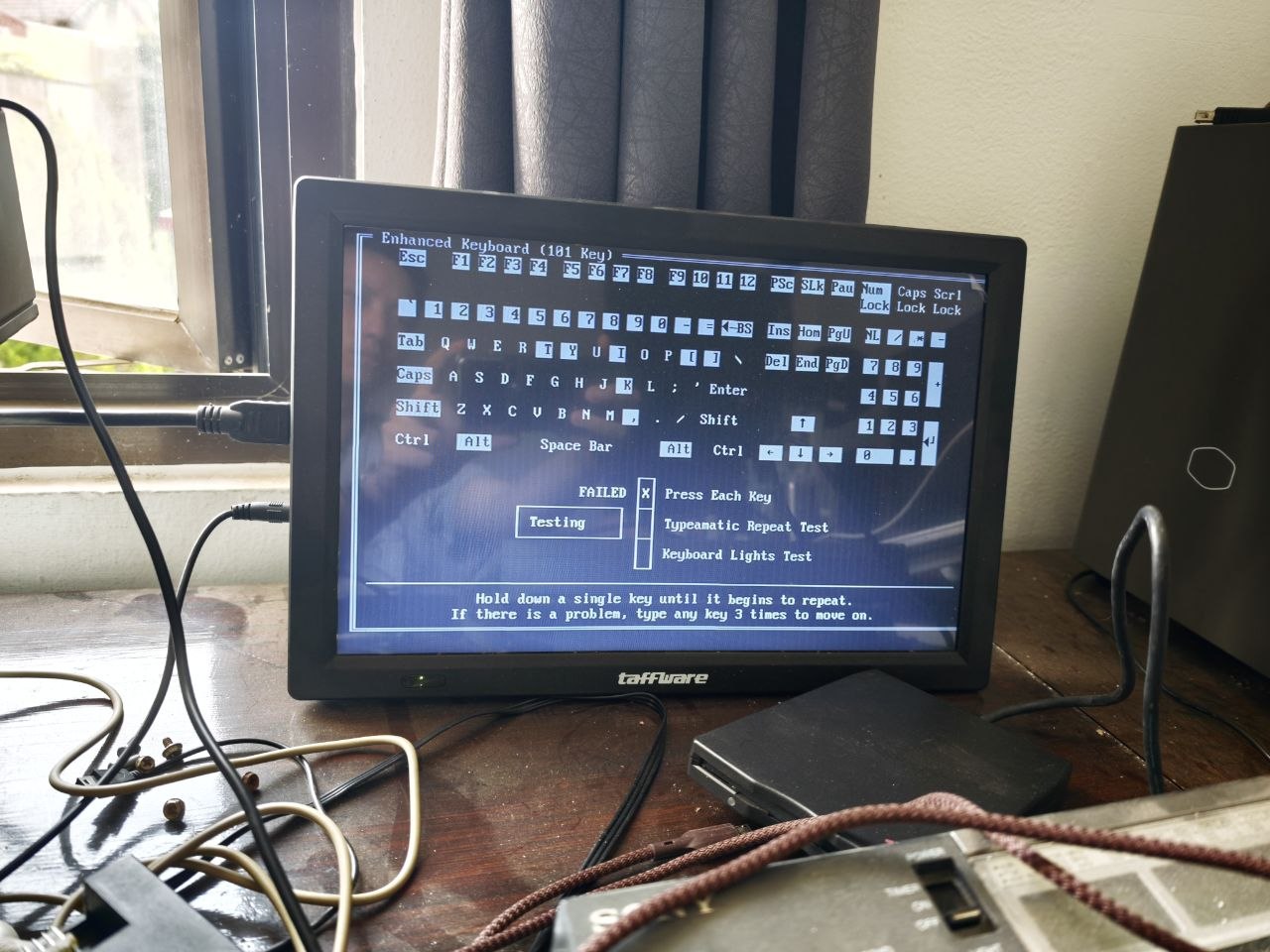
To rule out a bad cable or connector, I broke out the oscilloscope and probed the original encoder board, the black Zilog chip. Zero activity. No clock, no data, nothing coming out of it at all. That pretty much confirmed it: the encoder chip itself was fried, not the wiring around it.
Finding a replacement for a 30+ year old Zilog Z8602-family chip is basically a dead end, so replacing the chip itself wasn’t really an option.
Building a replacement encoder
Instead of hunting for a NOS chip, I decided to just build a new encoder from scratch using an Arduino, scanning the switch matrix myself and speaking PS/2 to the host directly.
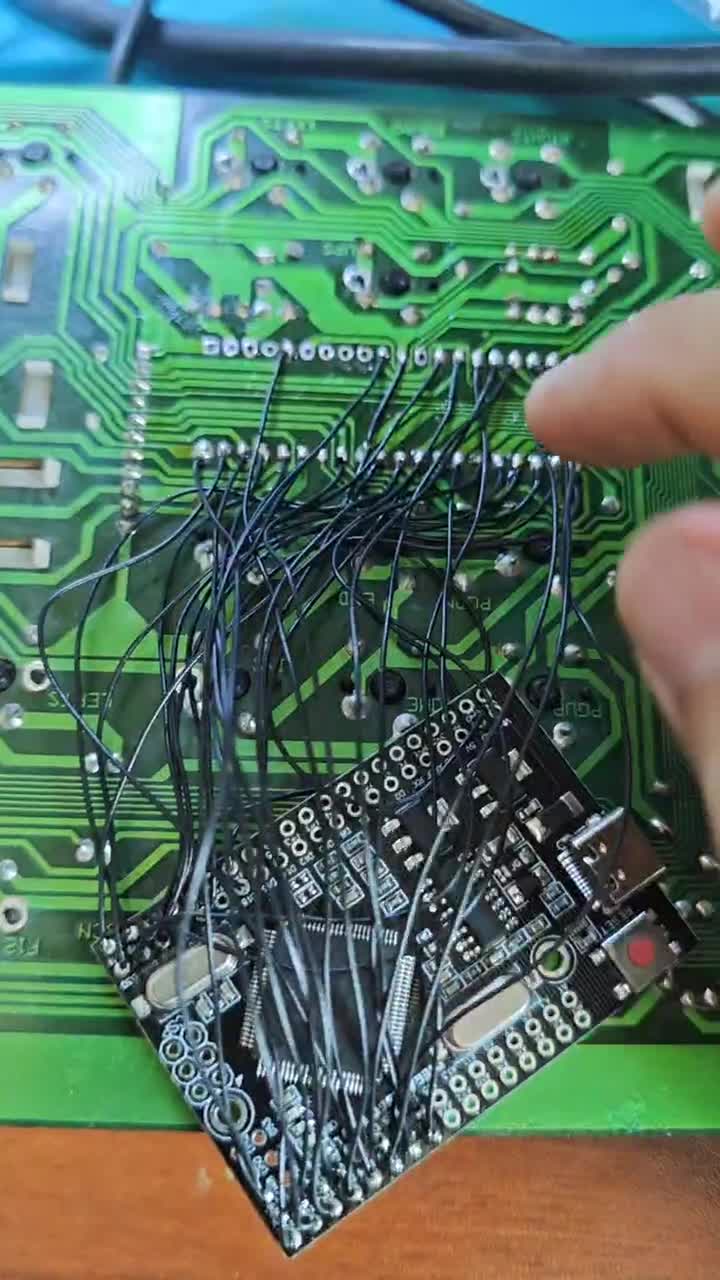
Honestly the hardest part wasn’t the code, it was the wiring. The matrix needed 30 GPIO pins total (columns + rows) tapped straight off the original PCB traces onto the Arduino, all hand-soldered. Keeping track of which wire went where without frying something or crossing a trace was tedious work.
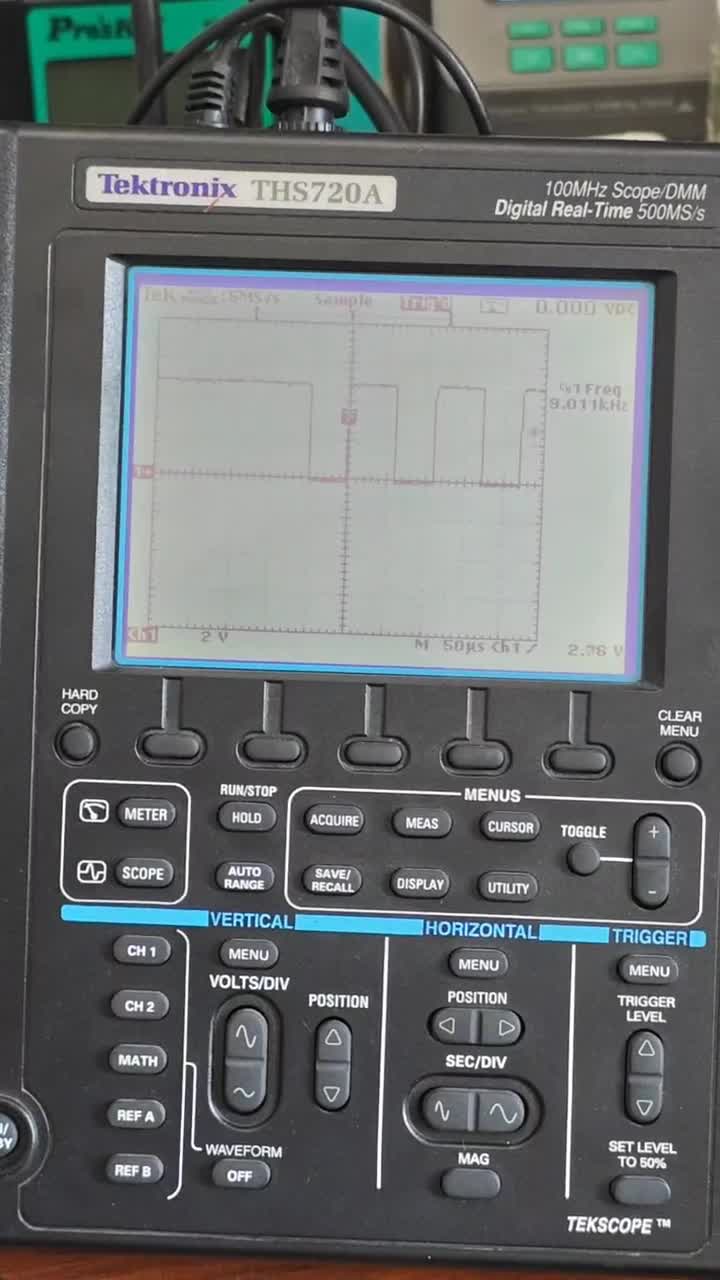
While building it I scoped the replacement board itself to make sure the timing was sane — here’s the clock signal on the new board looking healthy and active:
The firmware ended up handling:
- Scanning the matrix and debouncing key presses
- Emitting proper PS/2 Scan Code Set 2 make/break codes
- Typematic (key repeat) timing, matching what the original controller would’ve done
- Num/Caps/Scroll Lock LEDs driven from the host’s commands
Full source and pin mapping is up on GitHub if you want to poke around: felangga/Z8602-kbc
Result
Wired it all up, flashed the firmware, and the keyboard came back from the dead. Typing works fine on a real PC.
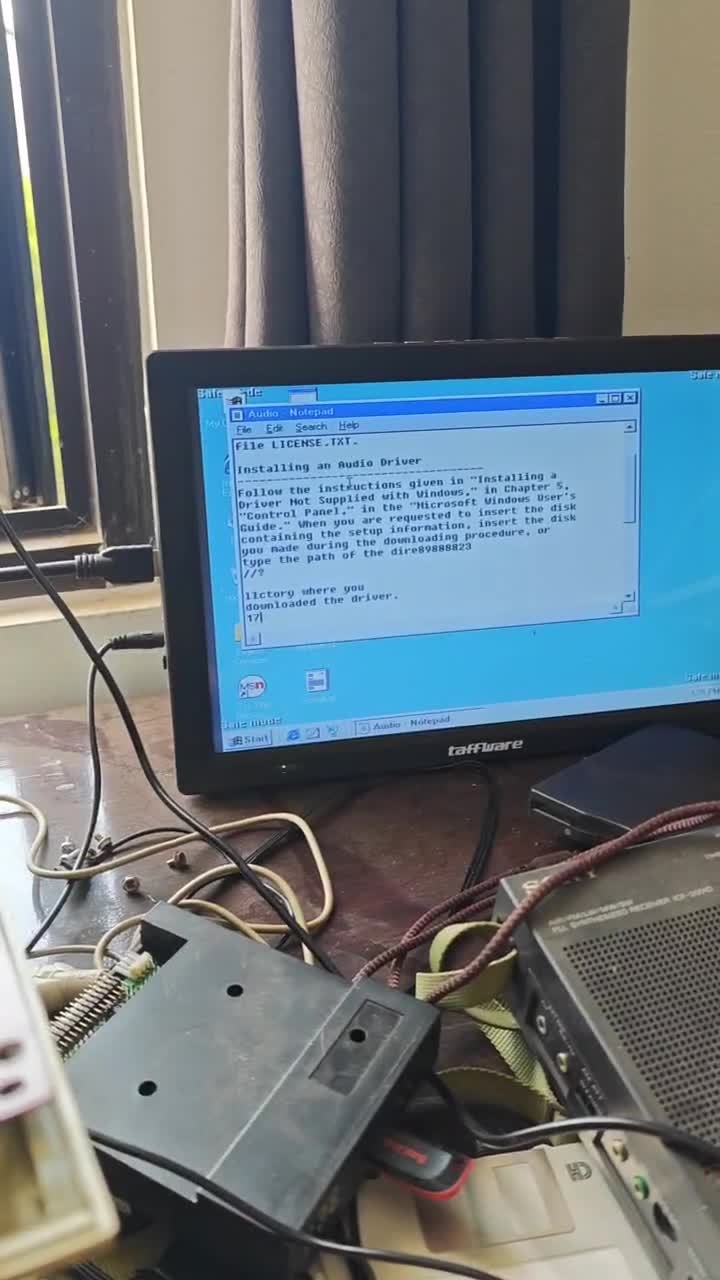
Not bad for something over 30 years old. The Cherry MX switches still feel as good as ever, and I’m glad I didn’t just toss this one.